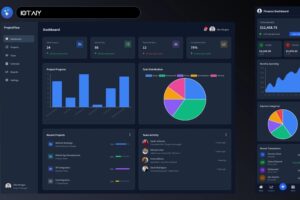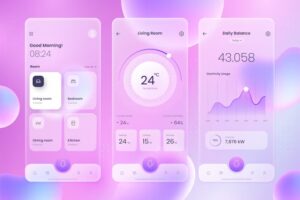
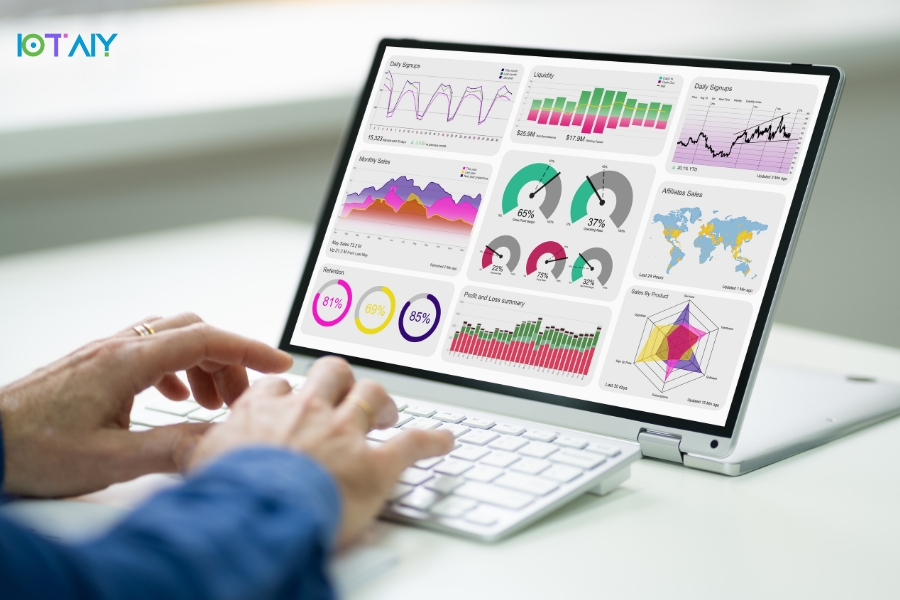
It’s happened more times than we can count. The team launches a new web app that looks great. Sleek design. Smooth demo. Users are impressed at launch. Then the user base grows. A new feature is added quickly. The user experience suffers. “Scaling will inevitably reveal all the design trade-offs you made in the early days.”
In 2026, scalable web app design is not optional. It is the difference between a smooth grower and a groaner. Most scalability issues are not failures. They are early design choices that once looked harmless. This article highlights web app design trends that actually hold up as usage grows, based on what we see at IOTAIY LLC.
Web App Design: A Matter of Increasing Gravity
Web apps are no longer static tools. They behave like living systems. Data grows. Features stack. Users change. Design either enables that growth or quietly resists it.
Good design in 2026 does the following:
- Maintains performance as users increase
- Allows new functionality without disrupting workflows
- Feels familiar even as it evolves
- Reduces long-term rebuild costs
- Helps retain user attention
It’s not about trends. It’s about survival.
1. Modular, Component-Based Design Systems
Scalability is not flashy. It is dependable. Designers now focus on building blocks instead of pages — buttons, cards, forms, and navigation components that are reusable and predictable.
Why modular design works under pressure
- Components can be reused for new features
- Visual consistency is maintained
- Development moves faster without duplication
- Maintenance becomes manageable
This is not luck. This is planning.
2. User Experience Designed for the Long Haul
Users do not adopt everything at once. They explore slowly and return later.
Scalable UX design focuses on:
- Friendly onboarding that avoids overwhelm
- Gradual feature discovery
- Consistent navigation as options grow
- Interfaces that respect cognitive load
As casual users turn into power users, design plays a quiet but critical role.
3. Mobile First, Even for Complex Apps
“Mobile first used to sound optimistic. In 2026, it is simply reality.” If your web application does not perform well on smartphones, trust erodes silently.
Mobile-first design now means:
- Touch-friendly components
- Layouts that adapt naturally
- Assets optimized for speed
- Thumb-driven navigation
Simplicity scales naturally.
4. Performance as a Design Decision
Performance is not just a development concern. It is a design responsibility.
Scalable web apps favor:
- Lightweight interface components
- Purposeful motion instead of decoration
- Clear visual hierarchy
- Restraint above the fold
Small design changes can remove seconds of load time.
5. Designed for API-Driven Products
Modern web apps rely on APIs, integrations, and live data.
Scalable design accounts for unpredictability:
- Flexible layouts for changing data
- Graceful loading and error states
- Interfaces that tolerate delays
- Room for future integrations
Nothing erodes trust faster than an interface that freezes without explanation.
6. Accessibility as a Growth Requirement
Accessibility is no longer optional. It directly affects reach and retention.
Scalable products consider:
- Keyboard navigation
- Contrast and typography readiness
- Screen reader support
- Clear feedback for every interaction
Ignoring accessibility early often leads to expensive redesigns later.
7. Designing for Future Features
New features are inevitable. The question is where they will live.
Scalable designs:
- Avoid rigid layouts
- Leave visual breathing room
- Support flexible navigation
- Allow optional features without clutter
A product without room to grow eventually suffocates itself.
8. Data-Driven Design Iterations
In 2026, behavior outweighs opinion.
Teams improve scalability by observing:
- Where users hesitate
- Which features are ignored
- Where drop-offs occur
Data rarely tells you what to design. It tells you where something is wrong.
9. CMS and Platform-Friendly Design
Scalable products often blend apps, content, and internal tools.
Designs that support this crossover include:
- CMS-driven content areas
- Headless integrations
- Admin-friendly interfaces
- Well-planned permission systems
This flexibility allows teams to move without breaking layouts.
10. Consistent Branding Through Growth
As products grow, brand inconsistency becomes a risk.
Design systems protect:
- Visual language
- Tone and interaction style
- Cross-platform recognition
- Feature familiarity
Consistency makes new features feel familiar rather than foreign.
Picking a Partner Who Designs for Growth
Designing for scale means asking uncomfortable questions early. At IOTAIY LLC, design decisions are made with long-term pressure in mind, not just launch-day polish.
Conclusion
“Web app design in 2026 values simplicity, clarity, and patience.” Scalable products are not built reactively. They are designed with change in mind. If your product needs to scale, it must be designed for success before success arrives. If you are building something meant to grow, talk to us.
FAQs
| 1. What does scalable web app design mean? |
|---|
| It means the app can support more users, features, and data without constant redesigns. |
| 2. When should scalability be considered? |
| Ideally from day one, before rigid decisions are locked in. |
| 3. Are modular design systems worth it? |
| Yes. They may slow early development slightly but save massive time later. |
| 4. Can performance issues be caused by design? |
| Absolutely. Excessive animation and clutter directly impact performance. |
| 5. How does IOTAIY LLC approach scalable design? |
| Scalability is treated as both a design and development responsibility from the start. |