
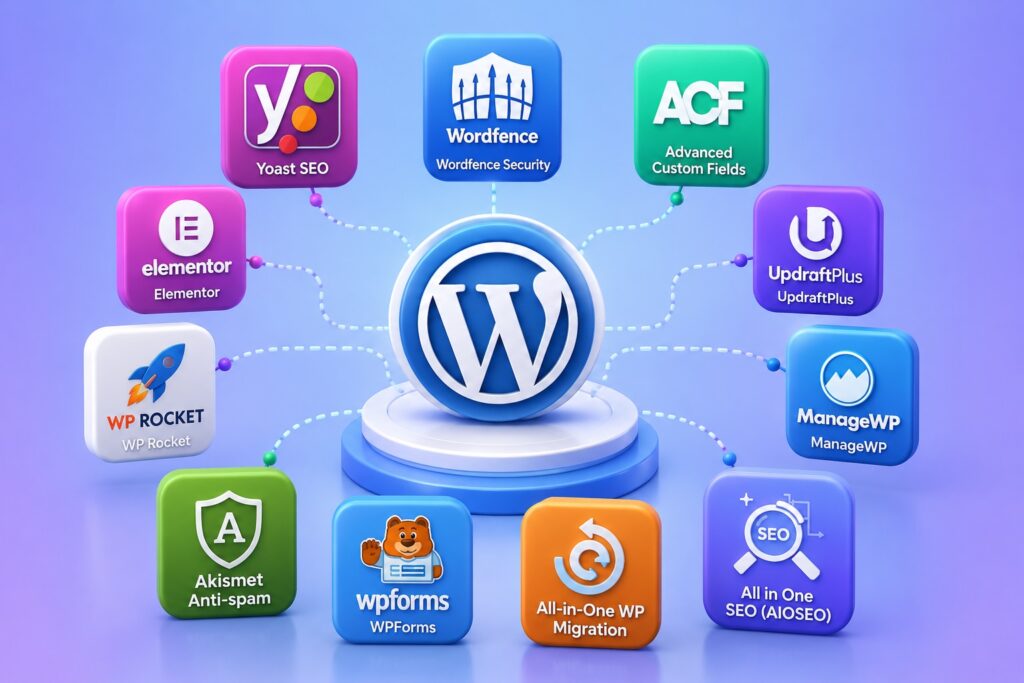
Building a WordPress website is easy to start but hard to get right. The difference between a slow, insecure, hard to maintain site and a fast, secure, SEO friendly one usually comes down to the plugins a developer chooses to install. With over 60,000 plugins in the WordPress repository, picking the right ones can feel overwhelming.
That’s why every WordPress developer, whether freelance or part of an agency, tends to rely on a core set of trusted plugins for almost every project. These plugins cover SEO, security, custom fields, page building, performance, backups, forms, debugging, migrations, and image optimization.
In this article, we break down the 10 must-have WordPress plugins every developer should know in 2026, along with the reasons, features, and benefits of each one.
What Makes a WordPress Plugin “Must-Have” for Developers?
Not every plugin deserves a permanent spot in a developer’s toolkit. The ones that do share a few common qualities.
Rather than installing whatever looks popular, experienced developers stick to plugins that meet a clear bar for quality and reliability.
- Solves a problem that comes up on nearly every project
- Actively maintained with regular updates and security patches
- Lightweight and doesn’t slow down the site
- Well documented with strong developer support
- Compatible with major themes, builders, and other plugins
As a result, developers can build sites faster, with fewer bugs and fewer client support tickets down the line.
Why the Right Plugin Stack Matters More Than Ever in 2026
Client expectations for speed, security, and search visibility keep rising every year. A poorly chosen plugin stack can quietly hurt a site’s performance, rankings, and even its safety.
- Growing demand for faster page load times and Core Web Vitals compliance
- Increasing frequency of security threats and brute force attacks on WordPress sites
- Search engines placing more weight on structured, well optimized content
- Clients expecting easy to manage sites without constant developer involvement
- Rising need for accessibility compliant, SEO friendly images
Therefore, developers who standardize on a proven plugin stack save time, reduce risk, and deliver better results for every client.
The 10 Must-Have WordPress Plugins Every Developer Should Know
Below is a breakdown of the ten plugins that consistently earn a place in a developer’s toolkit, along with why they matter, what they offer, and how they benefit the final website.
1. Yoast SEO
Yoast SEO is one of the most widely used SEO plugins in the WordPress ecosystem, and for good reason. It gives developers and content teams a straightforward way to optimize pages for search engines without touching code.
Reasons to use it
- Every client site needs on page SEO, regardless of industry
- Reduces the need for manual meta tag and sitemap management
Key features
- Real time readability and SEO analysis
- Automatic XML sitemap generation
- Meta title and description control for every page and post
- Schema markup support out of the box
- Redirect manager (premium)
Benefits
- Improves organic search visibility with minimal manual work
- Keeps content structured and consistent across the site
- Gives non technical clients an easy interface to manage SEO themselves
2. Wordfence Security
Security is non negotiable, and Wordfence remains one of the most trusted security plugins for WordPress developers, offering a firewall and malware scanner in one package.
Reasons to use it
- WordPress sites are a common target for brute force and bot attacks
- Clients rarely think about security until something goes wrong
Key features
- Web application firewall (WAF)
- Real time malware and file change scanning
- Login attempt limiting and two factor authentication
- Live traffic monitoring and IP blocking
- Security alerts and audit logs
Benefits
- Protects client sites from common attack vectors
- Builds trust by proactively preventing downtime and data loss
- Gives developers visibility into suspicious activity before it becomes a bigger problem
3. Advanced Custom Fields (ACF)
Advanced Custom Fields is a developer favorite for a reason. It turns WordPress into a flexible content management system by letting developers add custom fields to any post type, page, or block.
Reasons to use it
- Almost every custom theme or client project needs custom data fields
- Saves significant development time compared to building custom meta boxes from scratch
Key features
- Drag and drop field group builder
- Support for repeater fields, flexible content, and galleries
- Options pages for global site settings
- REST API and Gutenberg block integration
- Developer friendly functions for templating
Benefits
- Speeds up custom theme and plugin development
- Gives clients a clean, guided editing experience instead of raw code
- Makes content structures reusable across multiple projects
4. Elementor
Elementor is the leading drag and drop page builder for WordPress, used by both developers and non technical site owners to design pages visually.
Reasons to use it
- Clients frequently want the ability to edit pages themselves after launch
- Speeds up front end development for marketing pages and landing pages
Key features
- Live drag and drop visual editor
- Large library of pre built templates and blocks
- Theme builder for headers, footers, and archive pages
- Responsive design controls for desktop, tablet, and mobile
- Integrations with popular plugins and marketing tools
Benefits
- Reduces development time on standard marketing and landing pages
- Empowers clients to make simple edits without developer involvement
- Keeps design consistent through global styling and templates
5. WP Rocket
Page speed directly affects user experience, conversions, and search rankings, and WP Rocket is one of the most effective caching plugins for improving it.
Reasons to use it
- Site speed is a ranking factor and a core part of Core Web Vitals
- Manual performance optimization is time consuming without the right tools
Key features
- Page caching and browser caching enabled by default
- File optimization through CSS and JavaScript minification
- Lazy loading for images and videos
- Database optimization tools
- Preloading and CDN integration
Benefits
- Noticeably faster load times with minimal configuration
- Better Core Web Vitals scores, which can support SEO rankings
- Improved user experience, especially on mobile connections
6. UpdraftPlus
Every site needs a reliable backup strategy, and UpdraftPlus is one of the most popular backup and restore plugins in the WordPress repository.
Reasons to use it
- Backups are the last line of defense against hacks, failed updates, or human error
- Manual backups are unreliable and easy to forget
Key features
- Scheduled automatic backups
- Cloud storage integration (Google Drive, Dropbox, Amazon S3, and more)
- One click restore functionality
- Full site migration support
- Incremental backup options (premium)
Benefits
- Reduces risk of permanent data loss
- Makes site migrations and staging much easier
- Gives clients peace of mind that their site can be recovered quickly
7. WPForms
Contact and lead capture forms are a requirement on nearly every website, and WPForms makes building them simple without writing custom code.
Reasons to use it
- Almost every site needs at least one contact or lead generation form
- Custom form development from scratch adds unnecessary overhead
Key features
- Drag and drop form builder
- Pre built templates for contact, quote, and payment forms
- Spam protection and conditional logic
- Integration with email marketing and CRM tools
- Entry management and notifications
Benefits
- Speeds up form creation across contact pages, landing pages, and checkouts
- Improves lead capture with less friction for site visitors
- Gives clients an easy way to manage and edit forms themselves
8. Query Monitor
Query Monitor is a debugging plugin built specifically for developers, offering deep visibility into what’s happening behind the scenes on a WordPress site.
Reasons to use it
- Debugging performance and code issues without proper tools wastes time
- Essential for identifying slow database queries and plugin conflicts
Key features
- Database query monitoring with execution time
- Hook and action tracking
- PHP error and warning logging
- HTTP API request inspection
- Template and block rendering details
Benefits
- Helps developers quickly pinpoint performance bottlenecks
- Makes troubleshooting plugin and theme conflicts far easier
- Improves overall code quality during development and QA
9. Duplicator
Moving a WordPress site between staging, development, and live environments is a routine task, and Duplicator simplifies the entire process.
Reasons to use it
- Manual site migrations are error prone and time consuming
- Developers regularly need to clone sites for staging or client handoff
Key features
- Full site package and archive creation
- Guided migration and installer script
- Site cloning between hosts and domains
- Scheduled backup packages
- Database and file bundling in a single package
Benefits
- Cuts migration time from hours to minutes
- Reduces the risk of broken links or missing files during a move
- Makes handing off finished projects to clients or other hosts smoother
10. Altima – Auto Add ALT Text to Images
Rounding out the list is Altima – Auto Add ALT Text to Images, a lightweight plugin that automatically generates ALT text, captions, and descriptions for images, an often overlooked but important part of SEO and accessibility.
Reasons to use it
- Missing ALT text is one of the most common accessibility and SEO issues on WordPress sites
- Manually writing ALT text for every image doesn’t scale, especially on content heavy or ecommerce sites
Key features
- Automatically adds ALT text on image upload
- Generates captions and descriptions using the image filename
- Optional prefix, such as a website name or brand
- Bulk update option for existing images
- Skip or replace existing ALT text, with control over maximum text length
- Works entirely locally, with no API or signup required
Benefits
- Improves image SEO and search visibility with no manual effort
- Helps sites meet accessibility standards for screen readers
- Saves significant time on content heavy sites with large image libraries
Common Mistakes Developers Make When Choosing Plugins
Even experienced developers can run into trouble when plugin choices aren’t made carefully.
- Installing too many plugins that overlap in functionality
- Choosing plugins that are rarely updated or poorly supported
- Ignoring plugin impact on page load speed
- Skipping security and backup plugins until after a problem occurs
- Leaving images without ALT text, hurting both SEO and accessibility
If your workflow has run into these issues before, standardizing on a trusted plugin stack like the one above can help avoid repeat problems on future projects.
Read Also: Chatbot Development – How AI Chatbots Improve Customer Experience
Plugin Impact at a Glance
Choosing the right plugin stack has a measurable effect across performance, security, and content quality.
| Plugin | Primary Purpose | Impact |
|---|---|---|
| Yoast SEO | Search engine optimization | Better rankings and structured, consistent content |
| Wordfence Security | Site security | Fewer breaches, malware, and unauthorized logins |
| Advanced Custom Fields | Custom content fields | Faster development and cleaner client editing experience |
| Elementor | Page building and design | Faster page creation and easier client self editing |
| WP Rocket | Performance and caching | Faster load times and improved Core Web Vitals |
| UpdraftPlus | Backups and migration | Lower risk of data loss and easier site recovery |
| WPForms | Forms and lead capture | Higher quality lead capture with less setup time |
| Query Monitor | Debugging and performance | Faster troubleshooting and cleaner code |
| Duplicator | Site cloning and migration | Quicker, safer moves between environments |
| Altima | Automatic image ALT text | Better image SEO and accessibility with minimal effort |
Conclusion
A reliable plugin stack is one of the biggest time savers a WordPress developer can build for themselves. From SEO with Yoast, security with Wordfence, flexible content with ACF, and design with Elementor, to performance, backups, forms, debugging, migrations, and automatic image ALT text with Altima, these ten plugins cover the essentials that almost every WordPress project needs.
Standardizing on a proven set of tools like this doesn’t just save development time, it also results in faster, safer, and more accessible websites for clients.
Frequently Asked Questions (FAQ)
| 1. Do I need all 10 plugins on every WordPress project? |
|---|
| Not necessarily. Core plugins like an SEO tool, a security plugin, and a backup solution are almost always needed, while others like a page builder or Query Monitor depend on the specific project requirements. |
| 2. Will installing too many plugins slow down my site? |
| It can, if the plugins are poorly coded or overlap in functionality. Choosing well maintained, lightweight plugins like the ones listed above helps minimize that risk. |
| 3. Is Advanced Custom Fields necessary if I’m using Elementor? |
| Yes, in many cases. ACF handles structured custom data and dynamic content, while Elementor focuses on visual page layout and design, so the two often work well together. |
| 4. Why is ALT text important for images on a WordPress site? |
| ALT text improves accessibility for users relying on screen readers and helps search engines understand image content, which can support overall SEO performance. |
| 5. Does Altima require an API key or subscription to work? |
| No. Altima works entirely locally within WordPress, with no API connection or signup required to generate ALT text, captions, and descriptions. |